|
|
You can get the page index from instance of PdfDestination class . (PageIndex property) Code:
var index = destination.PageIndex
I'm not sure about following, but you can try to enumerate all pages in document and compare page.Dictionary.Handle and (array[0].Direct as PdfTypeDictionary).Handle Seems thats should be equals for the same pages.
|
|
|
Thank you for your answer and the link, this was very helpful. I examined the internal link with the following result: (see Attachement) 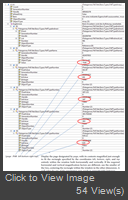 I was able to asign the records in the Array to the descripten of a pdf link. So i guess array (0) contains the Destination page. But the Content of property array(0).Number is not a usefule page number. So my question, how to get the destination page from the array?
|
|
|
You can get more information about destionations from the internal description. Please examine following array Code:
var array = Patagames.Pdf.Net.BasicTypes.PdfTypeArray.Create(destination.Handle);
The array will be contains some items. The first of them it is a page dictionary. Second and third the name of the parameter and its value. for example: array[0] - PdfTypeIndirect - the link to the pdf page array[1] - The PdfTypeName with the value FitH - array[2] - ThePdfTypeNumberr with the value 1169 You can find more details about that array here http://www.adobe.com/con...fs/pdf_reference_1-7.pdfPlease see table 8.2 at the page 582
|
|
|
After clicking on a internal link in a PDF document, i want to jump to the destination of the link (standard functionality), zoom to the destination and mark / highlight (add a rect) the destination object.
As far as I know, I get only the page index of the destination page. Is there a way to get more information about the destination of a link (coordinates, text, obectname,etc.)?
One more question: What Information do i get from a broken link (for excample when the destination page of the link is removed from the document)?
|
Important Information:
The Patagames Software Support Forum uses cookies. By continuing to browse this site, you are agreeing to our use of cookies.
More Details
Close
